Opt In

Below you will find the Opt In process within our app

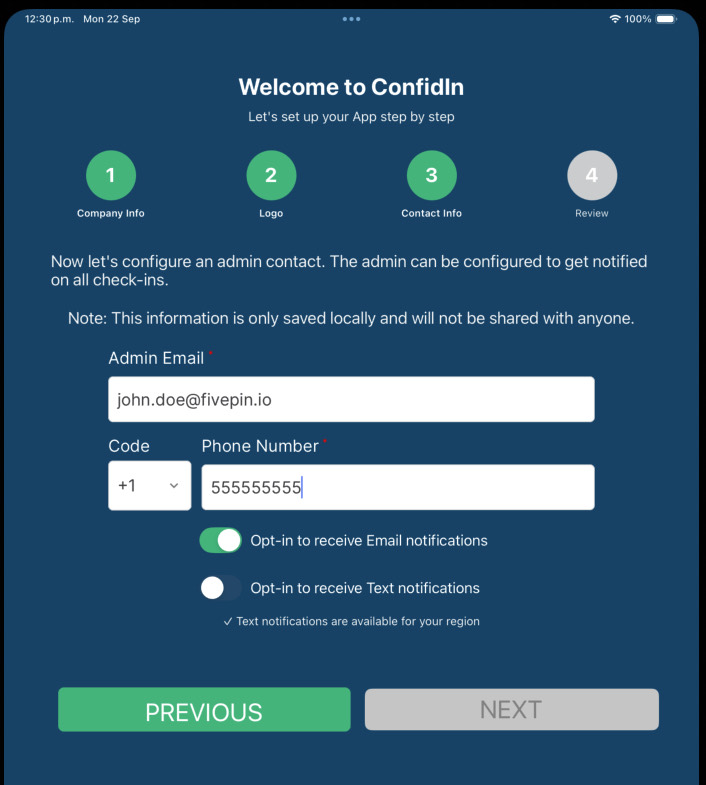
ConfidIn setup screen on an iPad, step 3 of 4, Contact Info. Under an admin email and phone number are two switches: 'Opt-in to receive Email notifications' is switched on and green, and 'Opt-in to receive Text notifications' is switched off and gray. Below the switches a line reads 'Text notifications are available for your region'.
Opt-in to receive text notifications is defaulted to NO
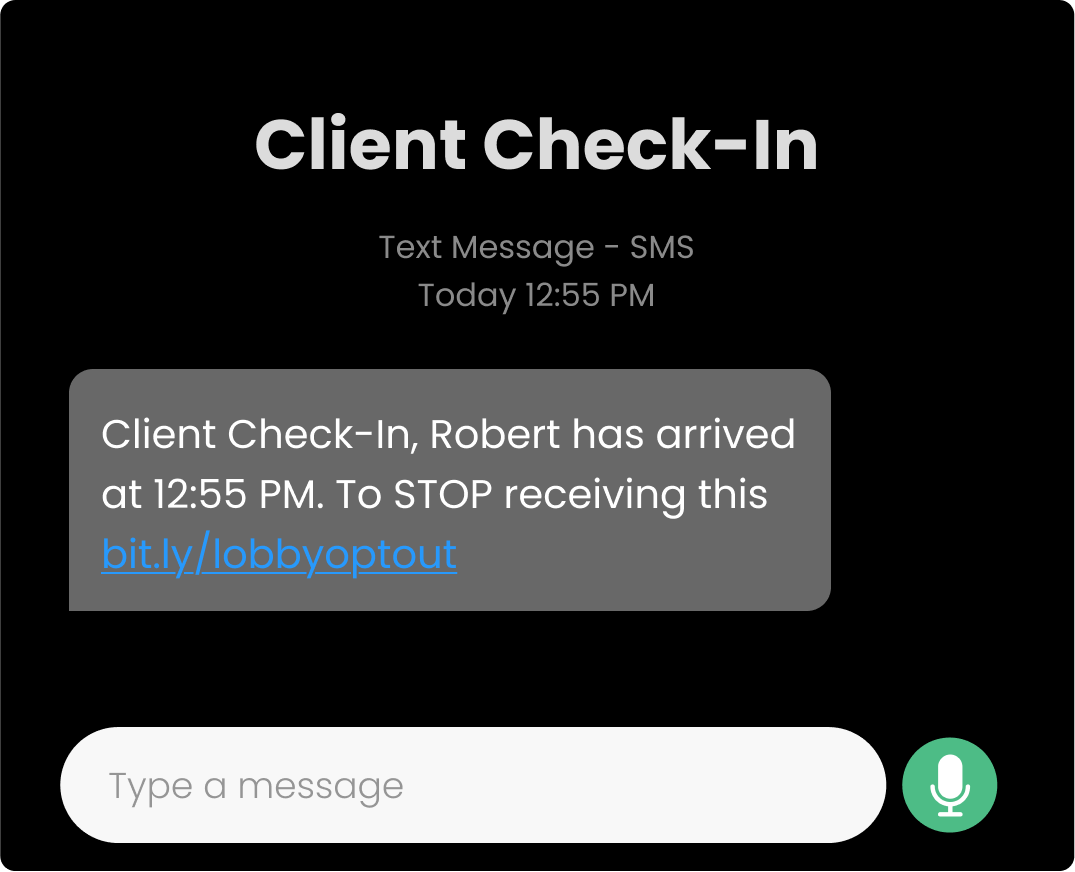
A text message thread titled 'Client Check-In', marked 'Text Message - SMS'. The received message reads: 'Client Check-In, Robert has arrived at 12:55 PM. To STOP receiving this bit.ly/lobbyoptout', with the opt-out address shown as a tappable link.
Every message has the opt-out link for the user to stop receiving text messages
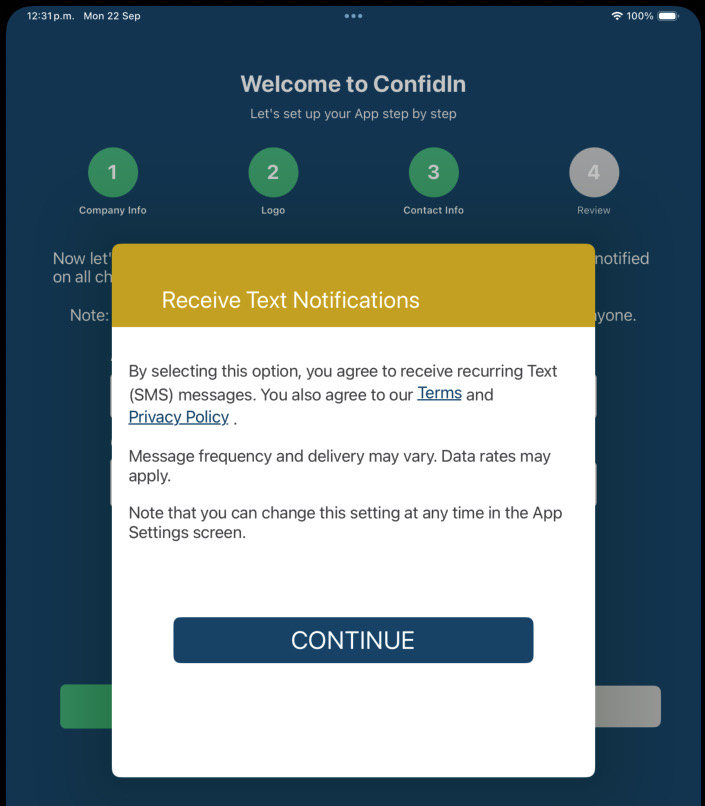
The same ConfidIn setup screen with a dialog headed 'Receive Text Notifications' over it. The dialog reads: 'By selecting this option, you agree to receive recurring Text (SMS) messages. You also agree to our Terms and Privacy Policy.', then 'Message frequency and delivery may vary. Data rates may apply.', then 'Note that you can change this setting at any time in the App Settings screen.' A single Continue button sits at the bottom, and Terms and Privacy Policy are links.
Warning message is whon when activating the Text notifications